How to Generate a WordPress Plugin Boilerplate
Starting a WordPress plugin from zero is mostly ceremony: folder name, main file, plugin headers, text domain, requires PHP/WP, and wiring includes. Starting from an old project is worse — you inherit dead code and forgotten renames.
A better approach: generate the modules you need, then export a clean installable ZIP with Zelvigo’s Plugin Boilerplate.
What a good plugin boilerplate includes
- Correct plugin headers (name, slug, version, author, text domain, requirements)
- A sensible folder layout you can extend
- A bootstrap that loads feature files
- Optional: real feature code (CPT, taxonomy, shortcode, settings) — not empty stubs only
Zelvigo’s boilerplate is not just an empty shell. You select modules you’ve already generated and merge them into the package.
Step-by-step: from modules to ZIP
- Generate modules: CPT, taxonomy, shortcode, settings as needed
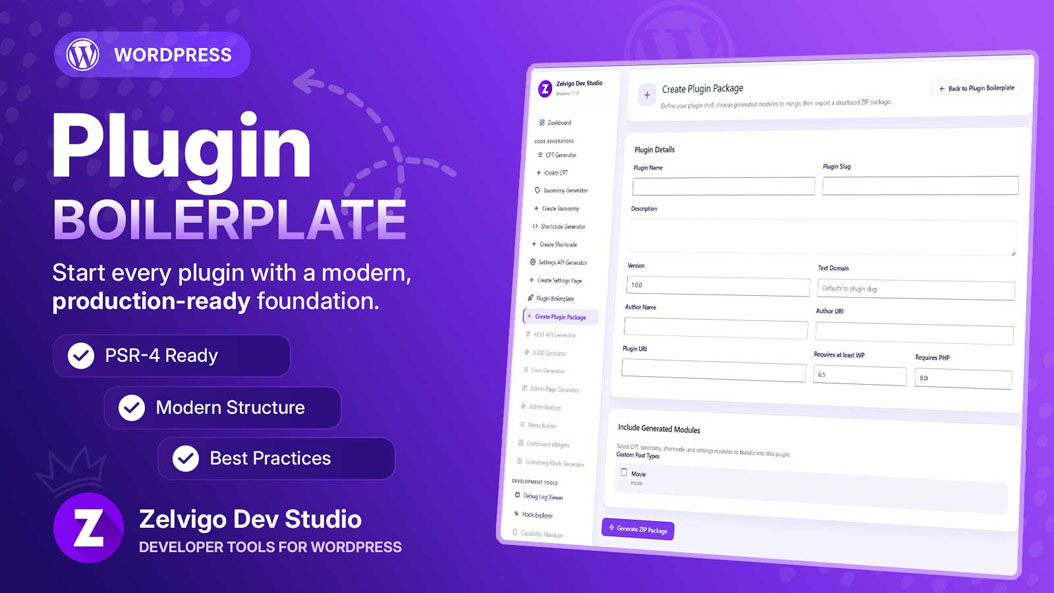
- Open Zelvigo Dev Studio → Create Plugin Package
- Fill plugin name, slug, version, author, text domain, requires WP/PHP
- Select the modules to include
- Click Generate ZIP Package, review structure, download
- Install via Plugins → Add New → Upload Plugin on any site
Only modules generated on that site appear in the checklist. Docs: zelvigo.com/documentation.
Copy PHP vs ZIP — when to use each
- Copy PHP — add a single module into an existing plugin
- ZIP package — start a new plugin or deliver a complete client plugin
Remember: generating code in Zelvigo stores definitions in the database. Nothing runs on the site until you paste code or install the ZIP.
Next step
Build the pieces once with generators. Package them as a real plugin. Spend the rest of the day on product features — not renaming folders.