WordPress Settings API Explained
Almost every serious WordPress plugin needs a settings page — API keys, defaults, feature toggles, display options. The Settings API is the WordPress way to do that safely (options, capabilities, and admin UI).
This guide explains the moving parts, why hand-coding settings pages feels slow, and how the Settings API Generator in Zelvigo Dev Studio builds them visually.
The Settings API in plain English
- Option group / setting — what gets saved to the database
- Section — a labeled group of fields on the page
- Fields — inputs (text, checkbox, select, etc.) with callbacks that render HTML
- Menu page — where the screen lives (under Settings, Tools, or a custom parent)
You also choose a capability (usually manage_options) so only the right users can change settings.
Why developers still dread settings pages
None of the individual pieces are hard. Doing all of them — page slug, titles, option group, section IDs, field IDs, defaults, select options, sanitization hooks — for every plugin is repetitive and easy to get slightly wrong.
That’s exactly the kind of work a generator should handle.
Build settings visually with Zelvigo
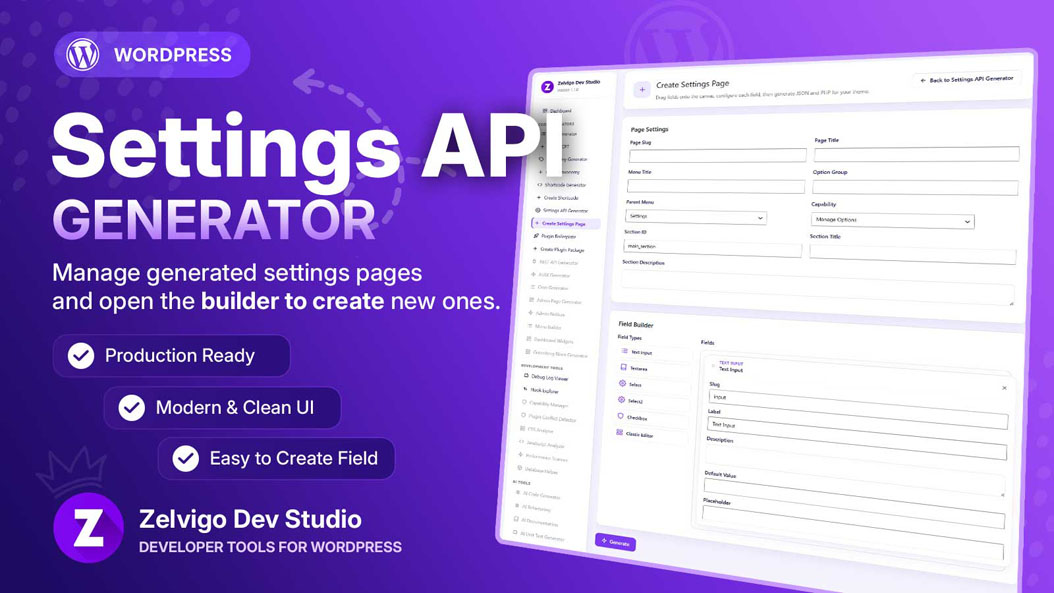
- Open Zelvigo Dev Studio → Create Settings Page
- Set page slug, titles, option group, parent menu, capability, and section
- Drag fields: text, textarea, select, select2, checkbox, classic editor
- Generate PHP (and JSON field definitions)
- Paste PHP below your plugin’s
ABSPATHguard — don’t add a second<?phptag
Walkthrough: documentation. Product page: Settings API Generator.
Ship settings with CPT + taxonomy
Generate a CPT, taxonomy, and settings page, then use the Plugin Boilerplate to export one ZIP. That combo covers a huge percentage of small-to-medium plugins.
Note: a broader Admin Page Generator is on the roadmap. Settings pages are available today.
Next step
Learn the Settings API once. Use a generator so you don’t re-implement the same page structure on every project.