
WordPress Hook Explorer
Browse registered WordPress hooks and their callbacks from admin — see priority, source, and file location when available.
A local developer tool in Zelvigo Dev Studio. No Pro license or cloud connection required.
When something hooks the wrong way, you need visibility
WordPress runs on actions and filters. When a plugin overrides output, fires too early, or fights another callback, you need to know what is registered and where it comes from.
Hook Explorer lists hooks and callbacks so you can debug load order, conflicts, and unexpected behavior faster.
What you can explore
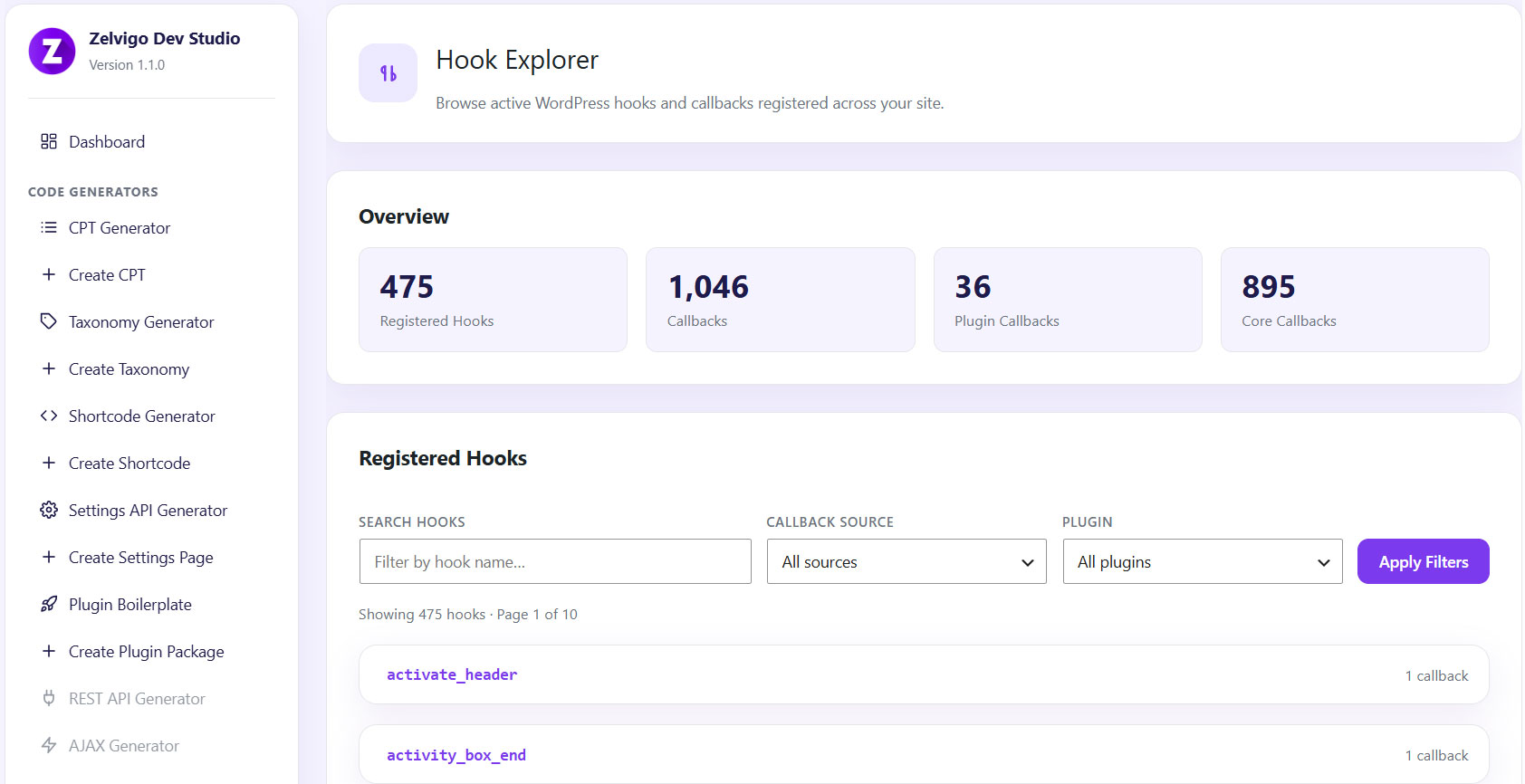
- Overview stats — total hooks and callbacks
- Source breakdown — core, plugin, theme, mu-plugin
- Search — filter by hook name
- Callback filters — by source type or specific plugin
- Callback details — priority, callable name, accepted args, file location
How it works
- Open Zelvigo Dev Studio → Hook Explorer
- Review overview stats and source breakdown
- Search a hook name or filter by plugin/source
- Inspect priorities and file locations to find the conflicting callback
Pair it with
- Debug Log Viewer — read errors while you test
- Plugin Conflict Detector — planned for a future release
- Cloud generators — after you understand the hook landscape
Frequently asked questions
Is this a hook code generator?
Not yet. Today’s tool is Hook Explorer — it inspects registered hooks and callbacks. A dedicated generator for add_action / add_filter scaffolds may come later on the roadmap.
Do I need a Pro license?
No. Hook Explorer runs locally without a license.
When should I use it?
When a hook fires unexpectedly, when you need to find which plugin owns a callback, or when you need to understand priority and load order.
See what’s hooked — then fix it faster
Hook Explorer is part of Zelvigo Dev Studio, alongside generators and the Debug Log Viewer.