
WordPress Settings API Generator
Build admin settings pages with a drag-and-drop field builder — then generate Settings API PHP and JSON ready for your plugin.
Skip hand-wiring register_setting(), sections, and field callbacks. Design the page visually and export clean code.
Settings pages are tedious to code by hand
Page slug, menu title, capability, option group, sections, sanitization, and field markup — the WordPress Settings API works well, but the setup is repetitive.
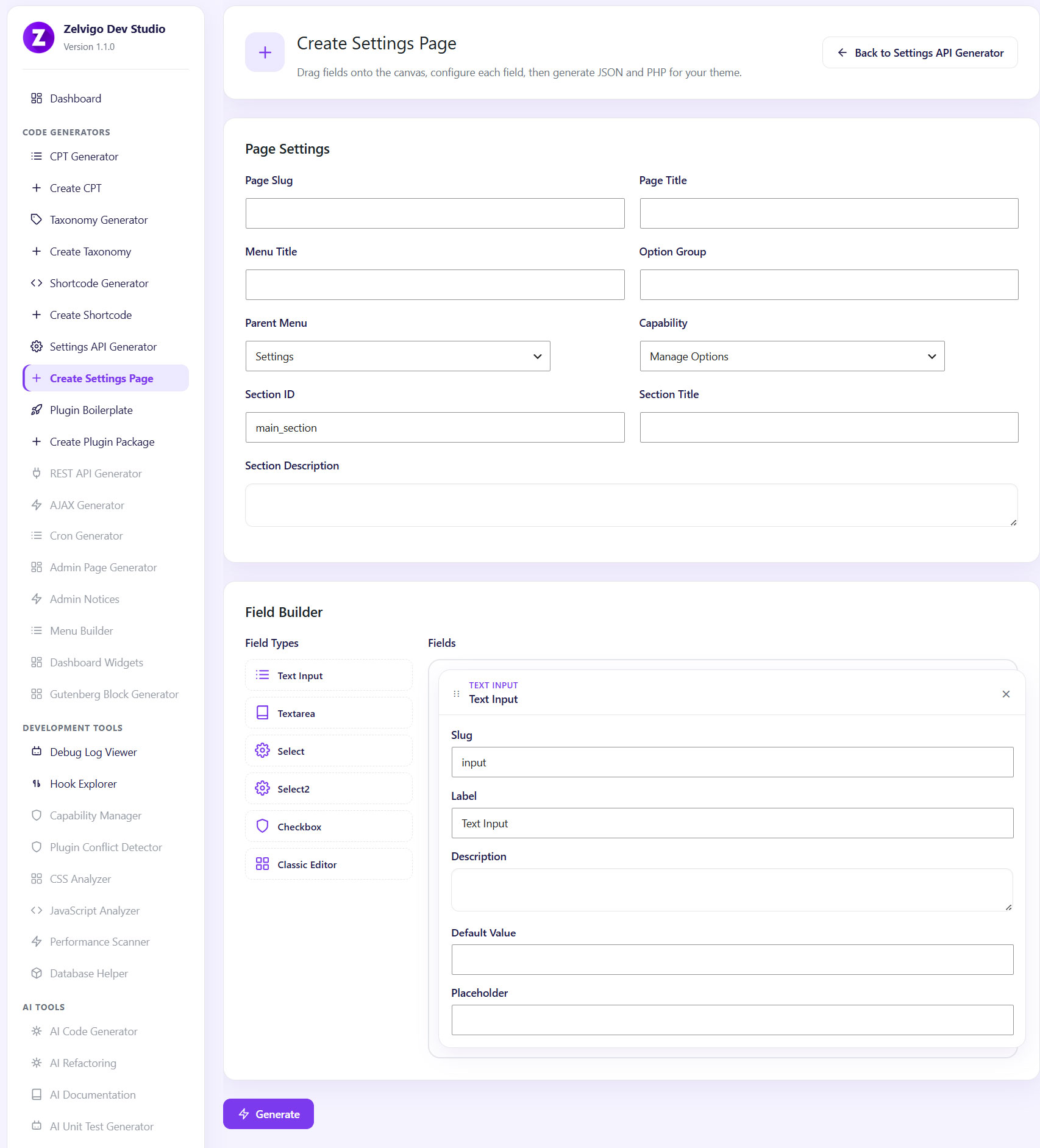
Zelvigo’s Settings API Generator lets you drag fields onto a canvas, configure them, and generate both PHP and JSON you can reuse across projects.
What you can build
- Page settings — slug, titles, option group, parent menu, capability, section ID/title
- Field types — text input, textarea, select, select2, checkbox, classic editor
- Drag-and-drop field builder — configure ID, label, defaults, and select options
- Generated PHP — paste below your plugin’s
ABSPATHguard - Generated JSON — field definitions for reuse
How it works
- Open Zelvigo Dev Studio → Create Settings Page
- Set page slug, titles, option group, parent menu, and capability
- Drag fields from the palette and configure each one
- Click Generate, then copy PHP (and JSON if needed)
- Optionally include the page in a Plugin Boilerplate ZIP
Works best with
- CPT Generator & Taxonomy Generator
- Plugin Boilerplate — CPT + taxonomy + settings in one package
- Admin Page Generator — custom admin screens for reports, tools, and non-options UI
Frequently asked questions
Do I get PHP only, or JSON too?
Both. PHP is for your plugin; JSON exports the field definition for reuse and reference.
Where do I paste the PHP?
Below the ABSPATH guard in your plugin file. Do not add a second <?php opening tag.
What do I need?
WordPress 6.5+, PHP 8.0+, and an active Pro license for cloud generators.
Build your next settings page visually
Drag fields, generate Settings API code, and ship options pages without the usual boilerplate grind.